Gemini Google Wallet Integration: Read-Only Isn’t Private

Summary
Gemini Google Wallet integration began rolling out in the US on November 13, 2026, giving users a way to ask about spending, subscriptions and budgets inside Gemini. The important boundary is that this is a read-only financial connection: Google says Gemini cannot move, manage or invest your money. A second boundary is less obvious: read-only access does not mean your financial information never enters Gemini’s activity, training or human-review processes.
For anyone deciding whether to connect an account, the useful question is not simply whether AI can draw a spending chart. It is whether the extra convenience justifies sharing transaction context, and how to check the resulting answers against the bank’s own records. This is a documentation-based guide, not a hands-on test with linked financial accounts.
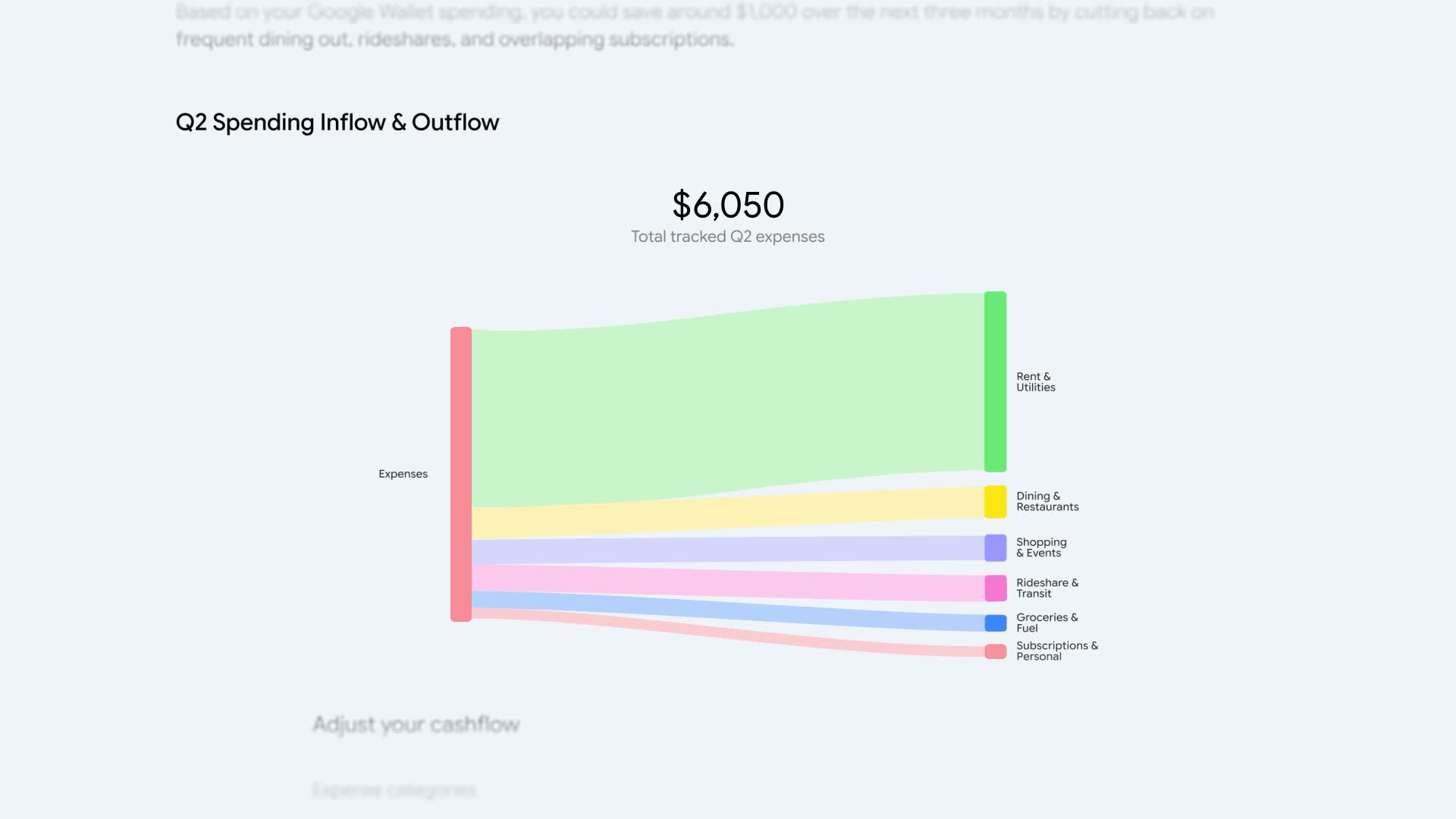
Featured image: spending chart from Google’s product demonstration; demonstration data, not our account. Credit: Google.
Who can use Gemini Google Wallet integration?
According to Google’s launch announcement, the integration is rolling out to all Gemini app users in the US across web, Android and iOS. That wording describes the intended rollout, not a guarantee that every account already shows the switch. As of November 14, the announcement does not establish availability in Singapore or other markets.
Google says you can connect Wallet through Connected Apps in Personal Intelligence settings. You can also optionally link financial accounts from banks and credit cards to Wallet through Plaid for deeper insights. Treat those as separate decisions: connecting a Google app and linking an additional bank account do not necessarily expose the same set of information.
This is also different from Google Wallet’s home-key functionality. A compatible door lock says nothing about eligibility for personal-finance analysis. The shared Wallet name does not make every feature available to the same devices, regions or accounts.
What the spending tools actually promise
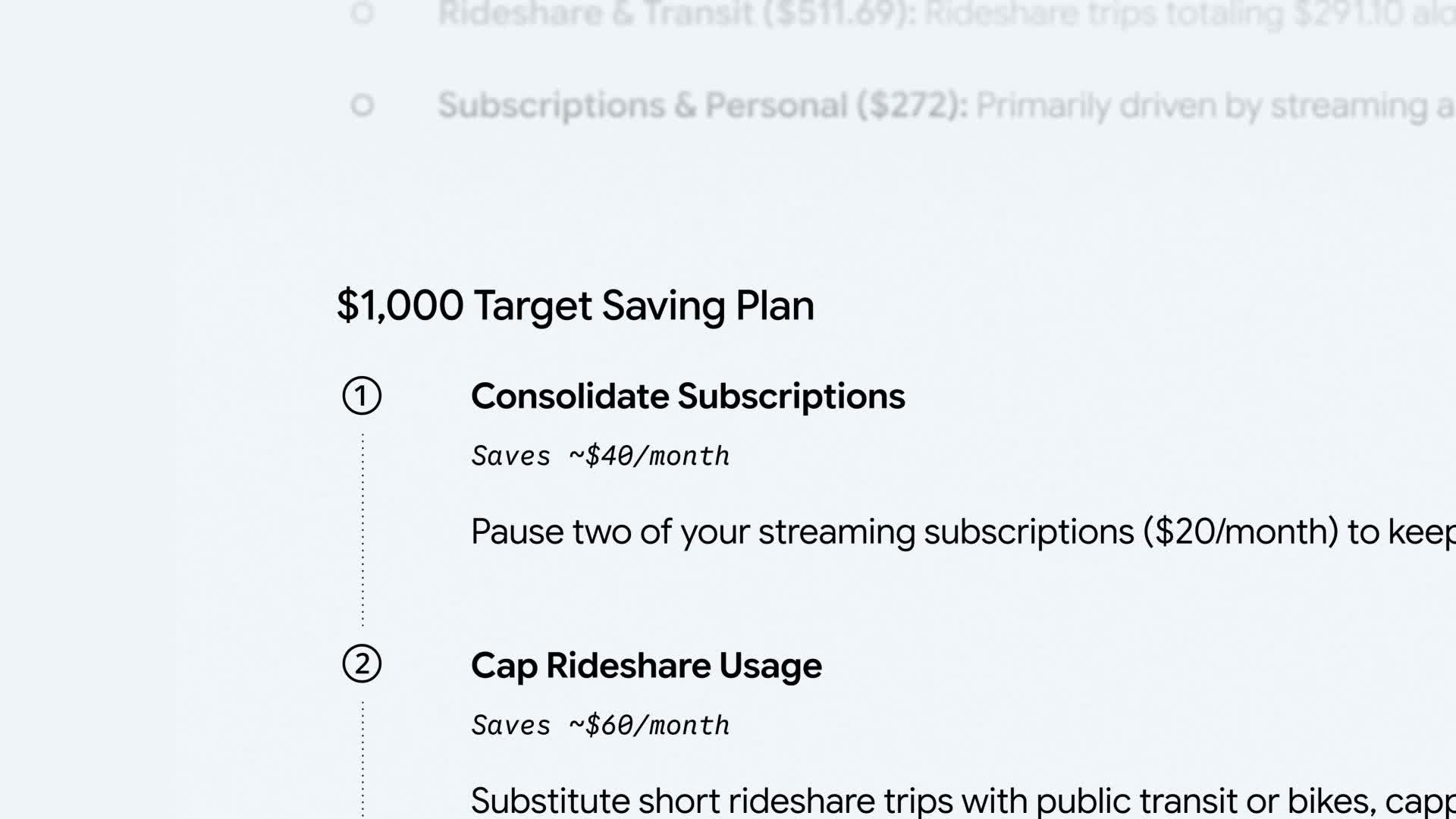
Google describes three starting points: visualizing spending, finding recurring subscriptions and planning a holiday budget. Its examples include charts for cash flow, asset allocation and budgets, flagging subscription price increases, and using last year’s gift and travel transactions to suggest a new spending plan. These are vendor-described capabilities; they are not independently measured accuracy results.
A sensible first question is narrower than “fix my finances.” For example, ask for recurring charges in a specific month, then compare the listed merchants and amounts with the original statement. This proposed checking workflow is editorial guidance, not a claim that we tested a particular prompt successfully. Start with a small date range so missing charges or category mistakes are easier to spot.
Check what records were included before treating a chart as your complete financial picture. An answer based on connected accounts may not represent cash spending, an unlinked card or another household member’s purchases. Do not interpret a subscription being identified as proof it has been canceled: Google explicitly says this connection cannot manage your money.
Read-only is not the same as private by default
Google’s launch post emphasizes that connecting Wallet is optional and can be turned off. Its Connected Apps privacy documentation supplies the more consequential detail: when Keep Activity is on, Gemini Apps activity, including data from connected apps, can be used to improve Google services and train generative AI models.
The help page distinguishes direct training on Wallet and payment services from training on summaries, excerpts and inferences used in Gemini interactions. It says Google does not train generative models directly on Google Wallet and payments services, but relevant information used in answers can appear in those summaries or inferences. A subset of connected-app information processed by Gemini can also be reviewed by humans, subject to the protections and exceptions described there.
That distinction matters more than a simple “your bank account is read-only” label. Permission to transfer funds and permission to process information are different controls. Read the current settings and privacy notice before connecting confidential records; do not infer that disabling transactions also disables training or review.
What to check before connecting, and when leaving
First, confirm that the connection is available for your account and region. Next, review which financial accounts you intend to link, the information involved and your Keep Activity choice. After trying a bounded spending question, compare the output with source statements before making a decision. Google’s own help page says not to rely on Gemini output for financial advice.
If you later disconnect Wallet, do not assume that action also clears previous chats. Google states that disconnecting an app does not delete Gemini Apps Activity, and deleting Gemini activity does not delete data in other services. Manage the relevant records separately. The help page also warns that changes to connected-app data may take days to affect the Gemini experience.
The useful role for this integration is an optional explanation layer over financial records, not an autonomous money manager or a replacement for those records. US users who want faster spending summaries may find it worth evaluating. Users who do not want transaction-derived information in AI interactions have a straightforward alternative: leave the connection off and continue reviewing statements through their financial institution.