Google Antigravity Knowledge Work: What Changes and What Does Not
Summary
Google Antigravity Knowledge Work is a new interface layout for people using the agent for research, analysis, documents and other work beyond software engineering. Google says it runs the same underlying agent as the existing Software Engineering layout. The change is therefore primarily about how projects, progress, permissions and outputs are presented—not a separate, less capable assistant.
How Google Antigravity Knowledge Work differs
Google’s announcement says people are already using Antigravity for deep research, data analysis, presentations, design prototypes and workflow automation. The company also says tens of thousands of its employees outside software engineering use it weekly. That is a company-reported adoption statement, not an independently measured productivity result. It explains the motivation for a layout that does not put Git controls at the center of every task.
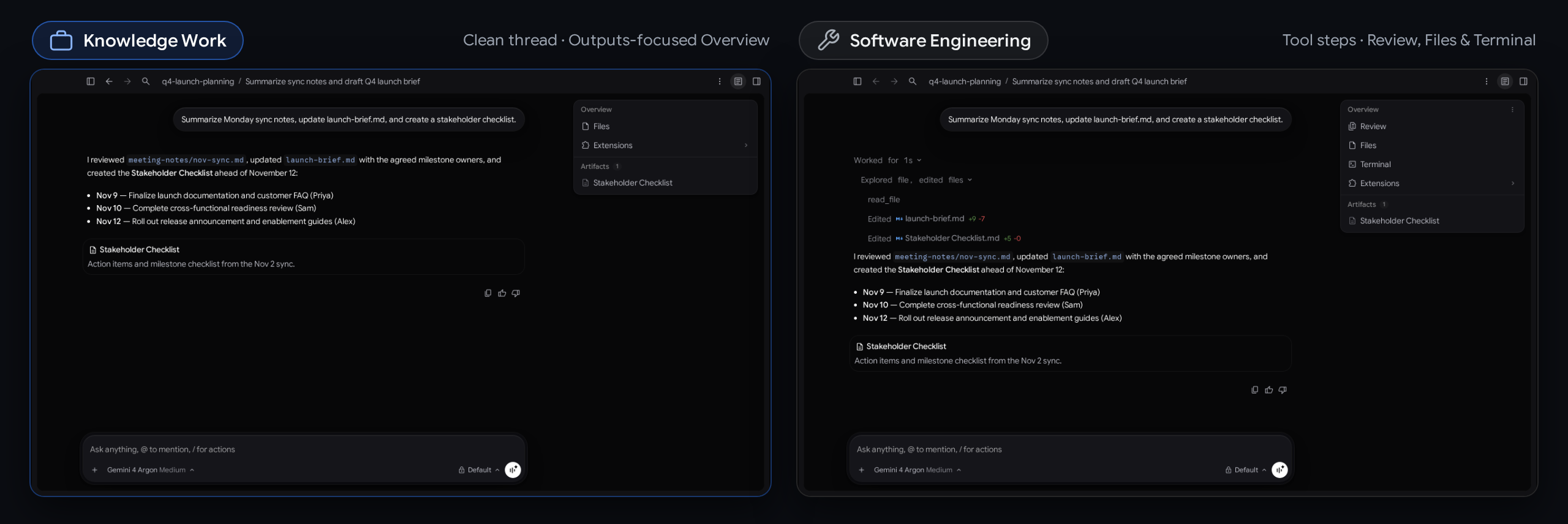
The Knowledge Work layout creates folder-backed projects and standalone No Project conversations without Git worktree prompts. It hides branch pickers and IDE handoff buttons. For someone preparing a briefing from local documents, these controls may be unnecessary overhead. Software Engineering remains available for work where branches, repositories and code review are central to the job.
How to enable the new layout
Open Settings, choose General, and find Interface Layout. Select Knowledge Work or Software Engineering. Google says the switch takes effect immediately for open and new conversations, without restarting the application. Existing users retain Software Engineering as the default until they change it. The settings shortcut is Cmd+, on macOS or Ctrl+, on Windows and Linux.
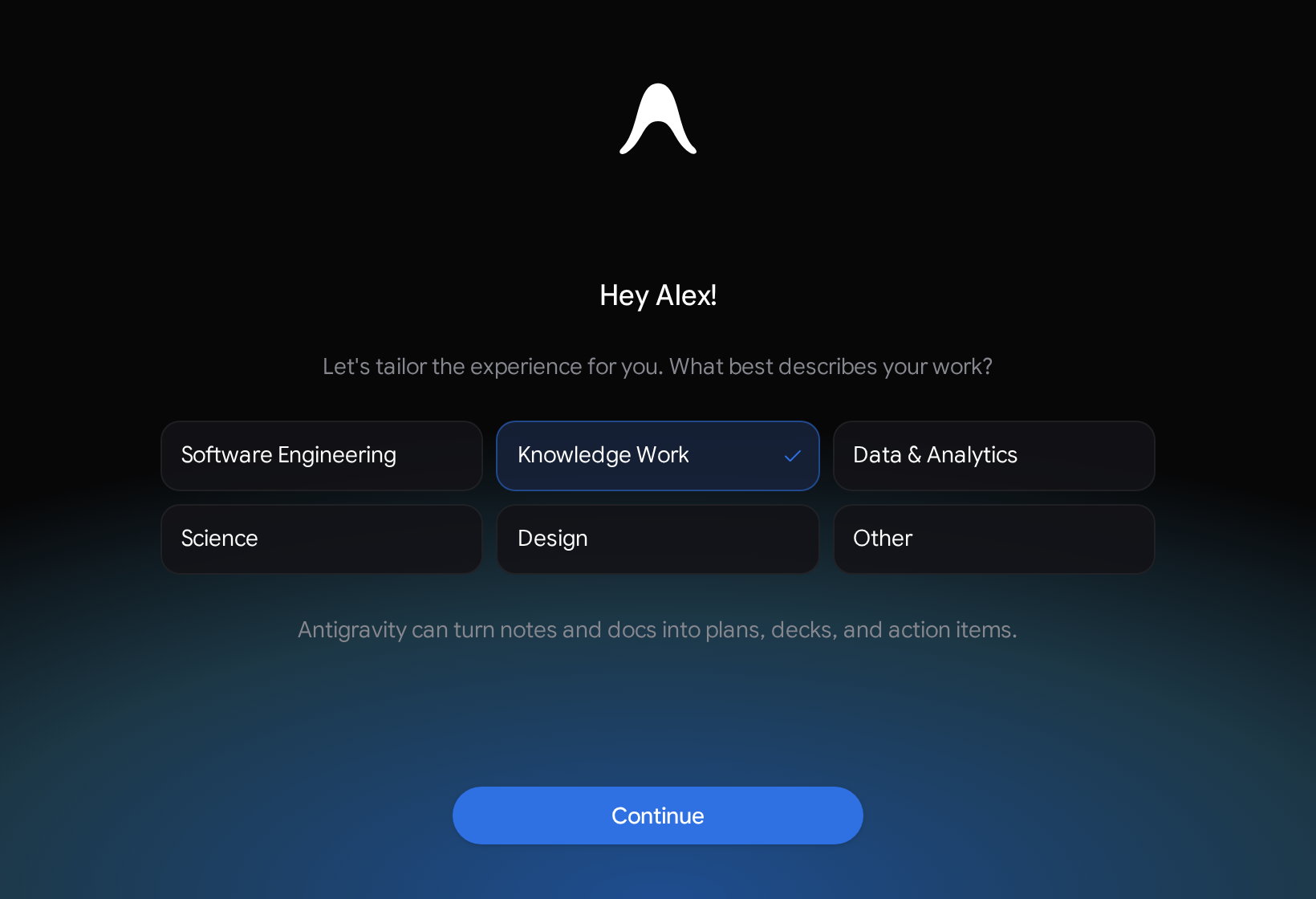
New users also get a role-based onboarding flow. Its starting options include Software Engineering, Knowledge Work, Data & Analytics, Science and Design. Google says the choice tailors the initial layout, starter prompts and recommended plugins. These onboarding choices should not be confused with different editions of the underlying agent or a promise that every workflow is already configured.
A cleaner conversation, with the same underlying tools
The new conversation presentation replaces expandable tool-call groups, inline code diffs and subagent cards with a live progress line. That line clears once a turn finishes, leaving replies and artifacts as the main focus. Permission prompts use plain-language summaries. The goal is to make the work easier to follow without requiring every user to interpret developer-oriented output.
Crucially, hidden controls are not removed capabilities. Google explicitly says both layouts retain access to models, local files, plugins, skills, rules, custom agents and MCP servers. Existing customizations continue to operate in the background. If an organization has configured connected tools or permissions, changing the interface should not be treated as disconnecting them or replacing the organization’s access policy.
Where documents and settings move
The Overview and Side Panel stay out of the way until a conversation produces output. In Knowledge Work, the emphasis is on Documents, Artifacts, Links, Uploads and Background Tasks. The file tree is labelled Folders, while Review and Terminal are removed from this presentation. Extensions remain when UI plugins or MCP Apps are active, according to Google’s announcement.
Installed customizations highlight Plugins. More technical controls, including Terminal, Workspaces and detailed permission rules, move behind Advanced Settings. This can make initial use less intimidating, but it also creates a practical onboarding task: teams should tell users where advanced controls went. A simpler settings page is useful only if people can still locate the controls they need when a workflow behaves unexpectedly.
What teams should check before adopting it
A sensible first trial is a contained task with clear inputs and a reviewable output: summarize meeting notes, draft a launch brief or organize a set of documents. These are examples of how the layout might be used, not claims that the agent will produce accurate results without review. Check the final artifact against its sources and confirm where files were saved.
The main limitation of the announcement is what it does not establish. It does not demonstrate higher model accuracy, independent productivity gains or a new security boundary. Because the same agent and configured tools remain active, users should still review consequential actions and the scope of connected access. Knowledge Work lowers interface friction; it does not make a local-file agent equivalent to a passive text editor.
For existing Antigravity users, the choice is straightforward: select the layout that fits the work being done, and switch back when repository tools and detailed diffs become useful. For newcomers, evaluate the actual task and output rather than the cleaner appearance alone. The meaningful change is that research and document workflows now have a first-class presentation within the same agent environment.