iOS 27 Messages Suggestions: Check the Action Before You Tap
Summary
Featured image: Apple / Apple Newsroom. Official product demonstration.
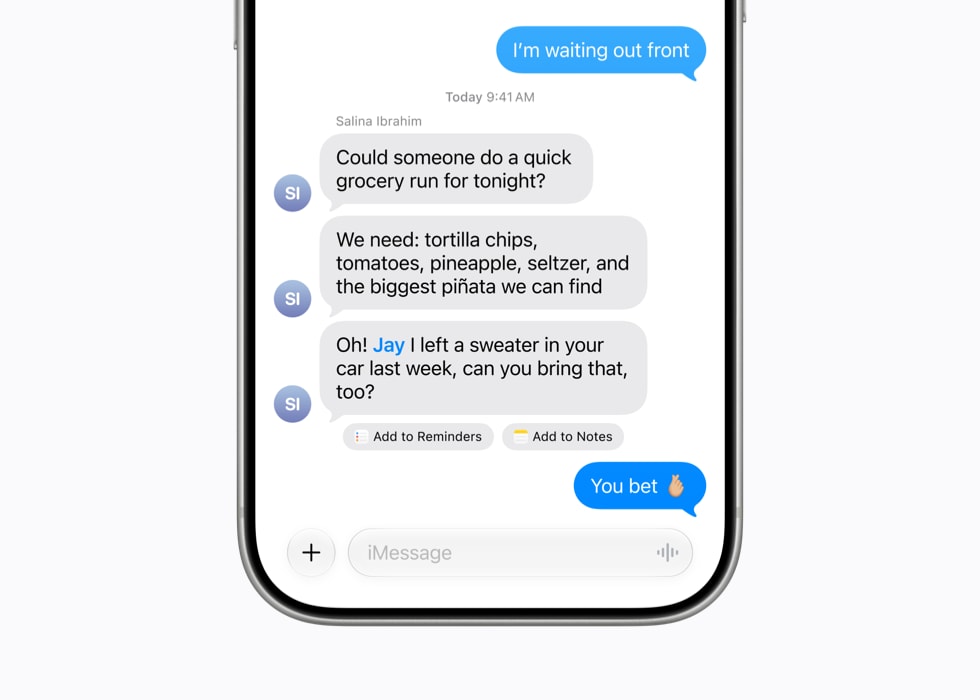
iOS 27 Messages suggestions can help turn a conversation into an action, such as adding a dinner invitation to Calendar. The useful question is not simply whether Messages has more AI features. It is whether the proposed action matches what the people in the chat actually agreed to do.
Apple’s release notes confirm contextual suggestions in Messages, while its broader iOS 27 documentation describes more personalized writing tools. These are different capabilities. One helps move information into another app; the other helps compose text. Neither removes the need to review the result before you rely on it.
What Apple confirms about iOS 27 Messages suggestions
In About iOS 27 Updates, Apple says suggestions help users take action based on conversation context, using a dinner invitation in Calendar as an example. The same document describes Siri AI drawing on additional personal-context sources and an Excluded Apps setting controlling access for Siri, Search and suggestions.
The release notes also warn that features can vary by region and iPhone model. They list Siri AI eligibility as iPhone 15 Pro, iPhone 15 Pro Max and all iPhone 16 models and later. Do not read the presence of iOS 27 on a phone as a promise that every Apple Intelligence capability is available on it.
The support document was published November 9, 2026; this is a November 16 explanation of documented features, not a claim that they first launched today. Apple’s iOS overview is useful for the wider release, but detailed support notes are the better place to check individual conditions.
A dinner invitation is a useful review checklist
Consider a hypothetical conversation: a friend proposes dinner on Friday, another suggests Saturday, and the group later settles on a different restaurant. A contextual suggestion is only useful if its resulting action reflects the final agreement. This is an illustrative scenario, not an IDNews test of how Messages resolves competing statements.
Before accepting a proposed calendar action, review the date, local time, venue and intended participants. If travel or different time zones are involved, check the time interpretation explicitly. The cost of correcting an event before saving it is usually lower than discovering later that everyone has been working from a different appointment.
Also distinguish creating an entry from communicating a commitment. Do not assume that a suggested action has notified everyone, reserved a table or completed a booking. Check what the destination app actually displays and what steps remain before treating the task as finished.
Personalized writing is not the same as verified information
Apple’s notes describe Write with Siri as a way to draft, edit or get feedback where users type. In Messages and Mail, Apple says it can personalize writing style to relationships, using phrases and punctuation from earlier conversations. This is a vendor description, not a claim that IDNews evaluated how accurately it reproduces anyone’s voice.
A reply that sounds like you can still say the wrong thing. Review names, numbers, dates and commitments, especially in work conversations. For a proposed reply about a deadline, verify that the date is correct rather than accepting a familiar tone as evidence of accuracy.
Separate convenience from access decisions
The Excluded Apps control is relevant because contextual assistance and access to personal information are connected decisions. Apple describes one setting for choosing which apps Siri, Search and suggestions can access. Review that control based on the information you are comfortable making available, rather than enabling everything solely to make suggestions more frequent.
That is a different question from whether an individual message is encrypted in transit. A feature’s ability to use local or personal context should not be treated as a complete account of every privacy protection. Our explanation of read-only access and privacy covers the same general distinction in a different product: limited action permissions do not mean that data access is irrelevant.
What to check if a suggestion is missing
Start by checking the installed iOS version and the precise capability you expect. Then compare the device, language and regional requirements with Apple’s current documentation. Do not use a missing suggestion in one conversation as proof that Messages is broken; Apple does not promise a contextual prompt for every message.
The 9to5Mac feature roundup discusses several generations of Messages changes together, including earlier group-chat tools. Keep those older features separate from iOS 27 contextual actions when troubleshooting. The practical goal is a correct completed task, not the maximum number of prompts: review the destination, verify the details and keep control of the final action.