Microsoft 365 Outage: Broad Recovery Reported, Cause Explained


Summary
Microsoft says it has addressed the underlying issue behind the Microsoft 365 outage that began on 12 November and continued into 13 November. The company now reports broad recovery and stability across its services after disruption to Outlook, Teams, Copilot and related workflows around the world.
Microsoft’s Redmond campus in June 2015. File photo: Jiaqian AirplaneFan / Wikimedia Commons, CC BY 3.0. Resized.
The latest account reviewed for this update is Engadget’s updated report quoting Microsoft, updated at 18:28 UTC on 13 November. Microsoft attributes the incident to an earlier network-capacity upgrade issue that surfaced following a recent network change. Its full post-incident report is still pending, so the preliminary explanation is not yet a complete technical account.
What did the Microsoft 365 outage affect?
The disruption has affected access to Microsoft 365 services, with email and Exchange Online dependencies central to the incident. Users have reported problems with Outlook, Teams and Copilot, while some organisations have also experienced difficulties accessing shared resources.
During the outage, The Guardian reported uneven impact: some users could access services while others could not. That distinction matters because a colleague successfully opening Teams does not prove that another employee’s mailbox or calendar is working.
The incident should not be described as a failure of every Microsoft product. A problem affecting Microsoft 365 does not, by itself, establish an Azure-wide outage. Likewise, reports of trouble opening cloud-connected Office resources do not mean every locally installed copy of Word or Excel has stopped functioning.
What caused the outage, and why did recovery take time?

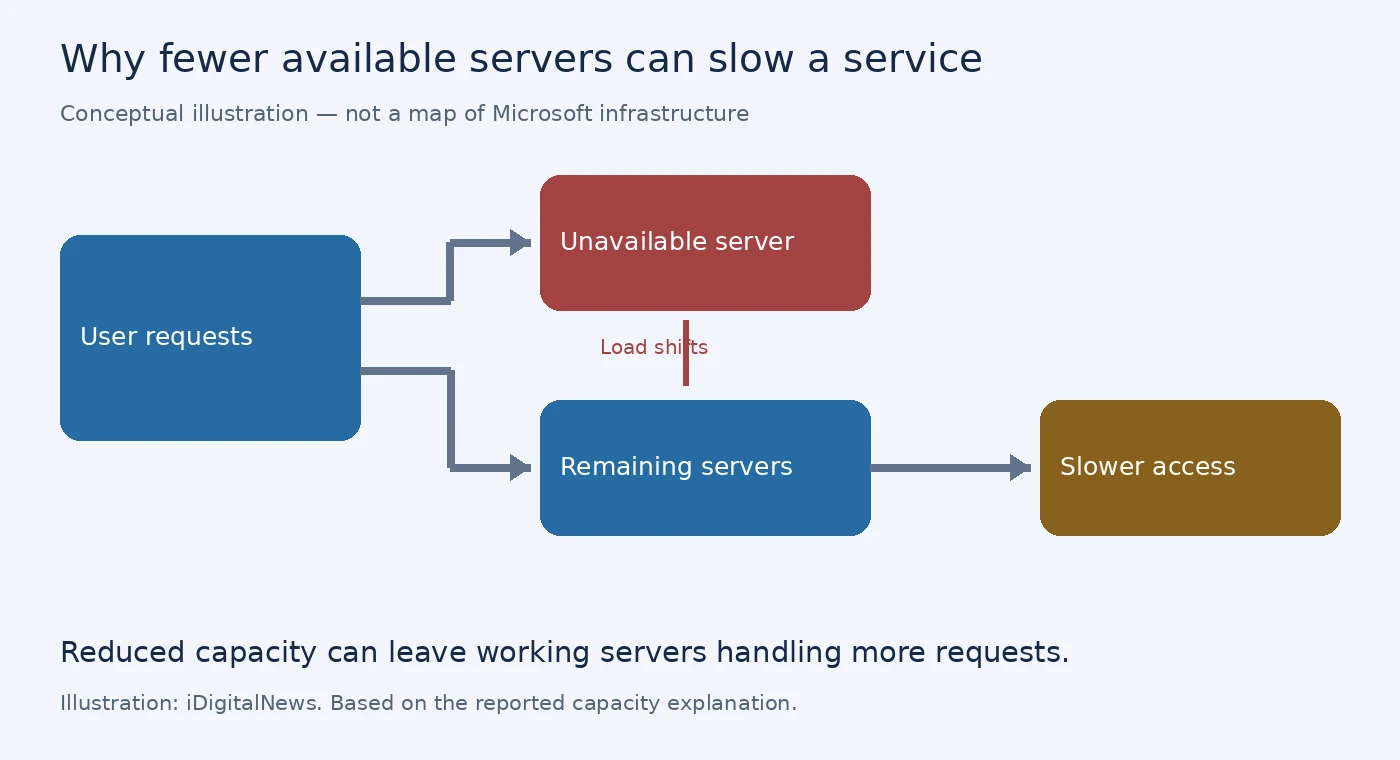
Microsoft’s updates, quoted by The Guardian, described servers becoming unexpectedly unavailable after failing automated checks. With fewer servers available, the remaining infrastructure came under additional load, contributing to connectivity problems.
Microsoft has since provided a preliminary cause: an issue during an earlier network-capacity upgrade surfaced after a recent network change. According to Engadget’s updated report quoting Microsoft, the company says it has addressed that underlying issue. A full post-incident report will follow once its review is complete.
The company subsequently reported better server stability after applying a patch to an authentication and routing configuration component on part of its infrastructure. BBC live coverage also reported that Microsoft was expanding recovery actions across affected regions.
Earlier recovery attempts had delivered limited or inconsistent results. Microsoft now says it restored services gradually, validating stability at each stage because of the scale of demand. The company reports broad recovery and stability, although organisations should still check their own essential workflows rather than assuming that every delayed message has already arrived.
Is there evidence of a cyberattack?
Microsoft’s later explanation says this was a technical incident, not one caused by a cyberattack or AI agents, according to Engadget’s updated report quoting Microsoft. This is more specific than its earlier statement that it was not aware of malicious activity causing the disruption.
The preliminary cause should still be distinguished from a completed root-cause investigation. Microsoft’s full post-incident report is expected to provide more detail. The scale of the disruption alone is not evidence of an attack, and the company’s initial explanation should not be expanded into unverified claims about exactly which components failed.
The number of people reporting failures to monitoring websites also should not be treated as a verified count of affected customers. Those reports help show a disruption’s timing and reach, but they do not measure every user or organisation experiencing problems.
How to check Microsoft 365 service status
For organisations, the most useful starting point is the service-health information associated with their own Microsoft 365 tenant. Microsoft’s official service-health guide recommends checking for a known incident before spending time on local troubleshooting.
Administrators with an appropriate role can:
- Sign in to the Microsoft 365 admin center.
- Open Health, then Service health.
- Review active incidents and advisories for the affected service.
- Read the impact information and latest recovery update before deciding on local action.
Microsoft also directs customers to its public service-status page when they cannot access the admin center. Employees without administrative access can ask their IT team to check the organisation-specific notice.
What users and businesses should check after recovery
After recovery, confirm that you can receive new messages, send replies and access your calendar. Check the status of important messages sent during the disruption before assuming they reached the recipient. If access remains unreliable, use an alternative communication channel already approved by your organisation.
Avoid moving confidential documents into a personal account simply to bypass the disruption. Where an approved offline workflow is available, preserve local work and confirm that it has synchronised after service returns. Treat these as continuity measures, not fixes for Microsoft’s infrastructure.
The effects can also extend beyond Microsoft’s own applications. The Guardian reported issues with Microsoft connectors used by OpenAI and Anthropic. A failure to retrieve Microsoft-hosted information through an AI assistant therefore does not necessarily indicate that the assistant’s entire service is unavailable.
For businesses, recovery should include checking the workflows that matter: receiving messages, sending replies, opening shared files and confirming upcoming meetings. The immediate question is not simply whether an application launches, but whether the organisation’s essential tasks work reliably again.