MacWhisper 16 Voice Recognition: Check Names, Not Just Words
Summary
MacWhisper 16 voice recognition adds a useful shortcut for people who repeatedly record the same interviewees, colleagues or podcast hosts: name a speaker once, then let the app try to recognize that voice in later transcripts. The important distinction is that a suggested identity still needs editorial judgment. A familiar name beside a sentence is not proof that the right person said it.
As of November 28, 2026, 9to5Mac’s report and reproduced release notes describe the new feature as requiring MacWhisper Pro, an Apple silicon Mac and on-device transcription with speaker detection enabled. This is a documentation-based assessment, not a hands-on accuracy test.
What MacWhisper 16 voice recognition changes
Speaker diarization separates a recording into turns: Speaker 1, Speaker 2 and so on. Recognizing a known voice across different files goes a step further. It attempts to attach a previously supplied identity to those turns, rather than making the user repeat the naming process every time.
According to the report, MacWhisper builds voiceprints from speakers users have identified and uses them when processing later recordings. Confident matches can receive a name automatically; other matches may need confirmation. The reproduced release notes say recognized people are marked “Named by voice match” in the transcript’s People list, where users can confirm or correct them.
The practical benefit is reduced repetitive administration, not guaranteed transcription accuracy. A correctly recognized speaker can still have words transcribed incorrectly. Conversely, accurate words can appear under the wrong name. Those are separate review tasks.
Check the local-processing requirements first

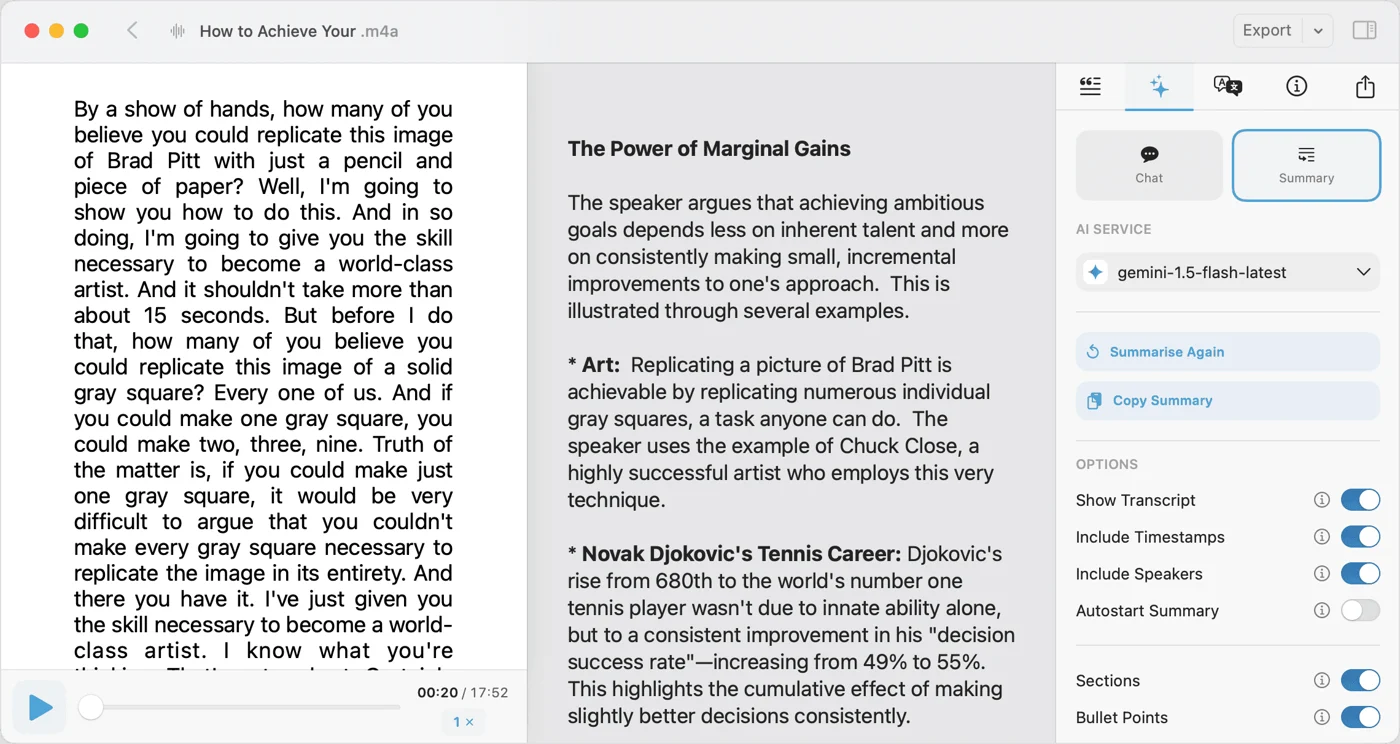
The official MacWhisper website offers both local transcription and connections to cloud AI services. That flexibility makes it important not to describe every MacWhisper workflow as automatically offline. The new voice-recognition requirement reported for version 16 is specifically on-device transcription with speaker detection.
Before relying on it, check three things: that the Mac uses Apple silicon, that the installed license includes Pro features, and that the selected transcription configuration supports local speaker detection. An account connected to a cloud transcription service is not evidence that this local feature is active.
MacWhisper’s older official speaker-recognition guide explains the underlying diarization workflow, including compatible models, renaming speakers and merging turns. However, that page is dated July 2025 and describes version 12. It should not be treated as current documentation for every version-16 voiceprint control.
A review workflow for recurring interviews
For a hypothetical weekly interview series, begin with an existing transcript whose participant names have already been checked. The version-16 report says Settings > People includes controls to learn voices from existing transcripts, turn recognition off and forget a person’s voice. Review the names in the older material before using it as a reference.
On the next recording, inspect the People list before exporting. Confirm recognized names, then listen to important passages such as quotations, commitments or disputed statements. If two people sound similar, or if the recording contains overlap, treat the identity assignment as a suggestion until it has been checked against the audio.
For live meetings, the release notes say recognized names are applied after the meeting ends. Names entered during the meeting are retained. That means users should not expect the new cross-recording recognition to provide a continuously verified identity label while participants are speaking.
Privacy improves locally, but responsibilities remain
9to5Mac reports that voiceprint processing and storage happen on the device. This reduces the need to send that recognition data to a separate service, but it does not settle every privacy question. The audio, transcript, exports and any optional AI processing still have their own handling choices.
Ask participants for appropriate recording consent, keep sensitive files on approved storage and check the destination before sending a transcript to a summarization service. Local recognition does not make a later cloud upload local. Our Documents voice-notes privacy explainer covers the same distinction between making a recording and deciding what processing happens afterward.
For frequent interviewers, version 16 looks most useful as a way to reduce repeated naming while keeping human review in place. Buyers should evaluate that fit rather than assume every recording will be recognized, every transcript will be correct or every AI action will stay on the Mac.