


Summary
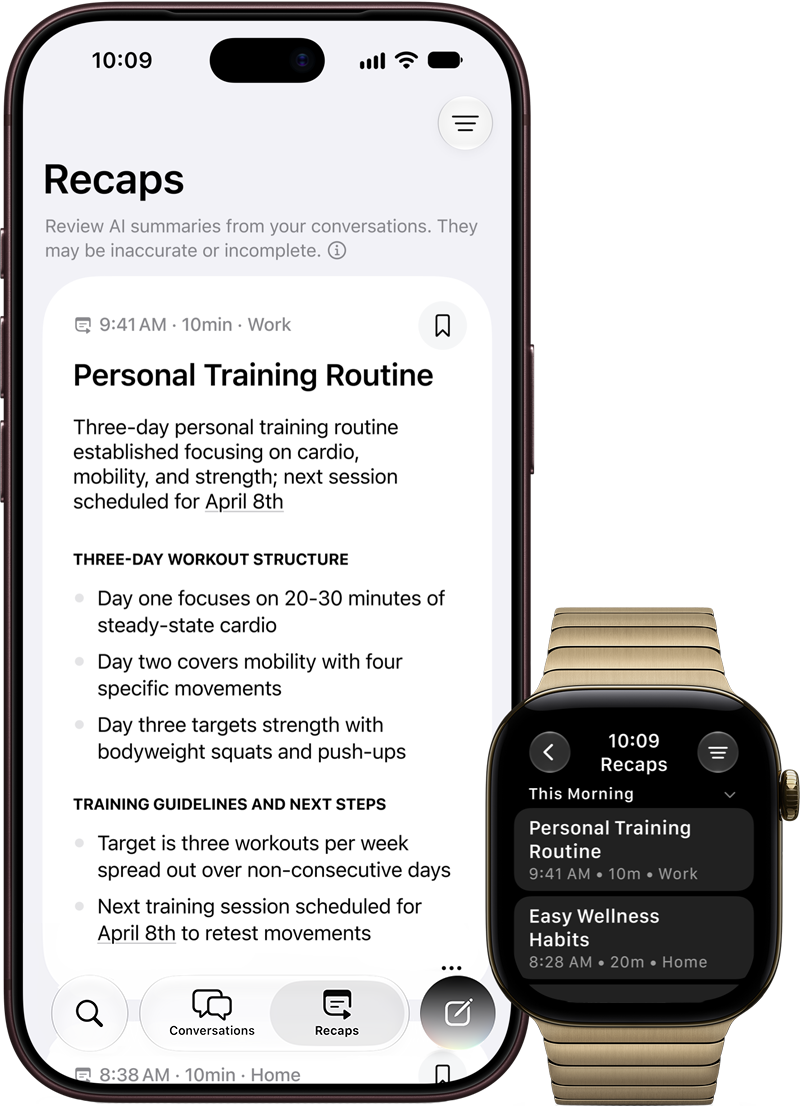
Siri Recap is reaching early testers through the watchOS 27.3 and iOS 27.3 betas, according to 9to5Mac's November 6 report. The feature creates high-level summaries of conversations to help users remember their day. It is not a general release for every Apple Watch, and it is not a substitute for an accurate transcript. Apple's November 3 support document describes specific hardware, age, language, and regional requirements, alongside privacy controls that deserve attention before anyone enables it.
Which devices can use Siri Recap?
Apple lists Apple Watch Series 12 and Apple Watch Ultra 4 for Siri Recap and Live Rewind. The paired iPhone must be an Apple Intelligence-capable model from the company's supported list, beginning with iPhone 16 models and including later listed devices. Apple Intelligence and Siri AI in beta are also required. The broader iPhone 11 compatibility mentioned elsewhere in the support document applies to other Audio Intelligence features; it should not be read as Siri Recap eligibility.
Apple says the features start in English, are unavailable to users under 18, and will not initially be available in the European Union. Siri Recap and Live Rewind are not available in China. Features relying on server-side models can also face daily usage limits. A compatible watch alone therefore does not guarantee that a particular account can enable the feature today. The support page describes beta availability, while 9to5Mac reports firsthand use of this week's betas.
Siri Recap is not the same as Live Rewind
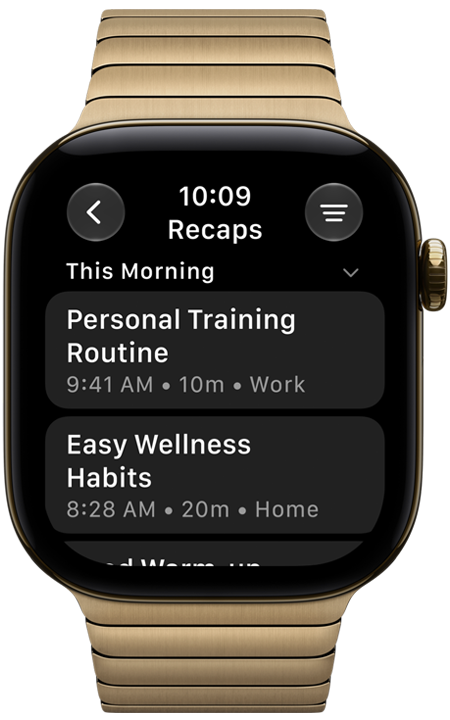
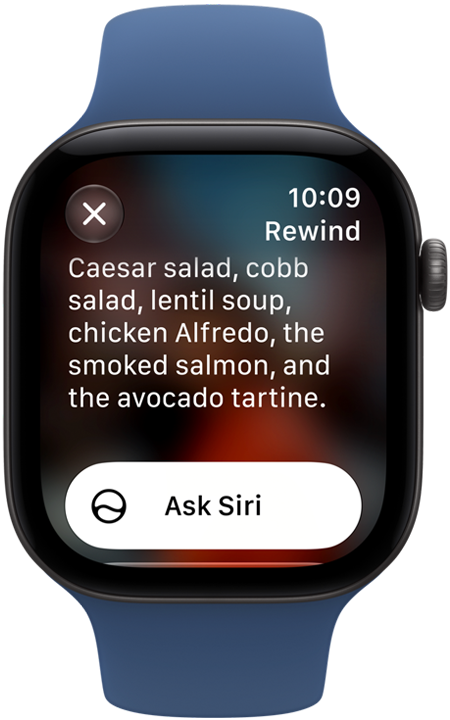
Apple describes Siri Recap as ambient note-taking that produces a brief, high-level summary rather than a detailed record. Live Rewind has a different purpose: double-pressing the Digital Crown displays a text snippet of the last 15 seconds of speech. Apple says this does not continue as background transcription. A user can save the snippet or ask Siri about it.
Live Rewind also has explicit signals for people nearby. Apple says activation plays an audible chime even when the watch is silent or headphones are connected, and shows a display animation and microphone indicator. These differences matter when deciding which feature solves a particular problem. One aims to help recall a day's conversations; the other helps recover something just missed. Neither should be described simply as an always-recording audio archive.
What Apple says happens to audio and summaries
Apple says the Audio Intelligence features do not create stored audio recordings. Raw audio passes through protected buffers in the hardware's Secure Exclave and is deleted after processing. For Siri Recap, the watch sends encrypted audio to the paired iPhone's Secure Exclave, where it is transcribed and condensed. An encrypted, shortened text representation then goes to Private Cloud Compute to generate the summary.
That architecture means it would be inaccurate to say Siri Recap is entirely on-device. Apple says Private Cloud Compute data is not stored or accessible to the company. Separately, saved summaries and snippets sync through iCloud with end-to-end encryption when the stated account and device protections are in place. These are Apple's documented design claims; this article is not an independent security audit of the implementation.
Schedules, deletion, and people around you
Siri Recap is opt-in. Apple says it can be enabled in the Watch app on iPhone, with schedules based on time or location, or manual control. Users can also switch it on or off from Control Center, and the watch notifies them when a configured schedule starts or stops the feature. Recaps can be set to delete automatically after a period of up to seven days unless explicitly saved.
Summaries can be viewed, edited, and deleted in the Siri app. Deleting a saved item removes it from synced devices, according to Apple. The company says summaries do not attribute statements to identified speakers, although names mentioned within a conversation can still appear. That is an important qualification: lack of speaker attribution does not mean every identifying detail disappears. Users should consider others' expectations before enabling ambient summarization in sensitive settings.
Why the beta still needs a reality check
Apple warns that summaries and snippets can be incomplete or inaccurate. Important details may be omitted, misunderstood, or summarized incorrectly. Filters are designed to exclude some sensitive information, but Apple does not guarantee that all such information will be removed. For decisions involving money, health, commitments, or someone else's words, verify the underlying information directly.
9to5Mac's writer reported useful examples from early testing, including remembered shopping details and music. Those anecdotes demonstrate one tester's experience, not a measured accuracy rate or proof that every conversation is handled correctly. The practical takeaway is narrower: eligible users can explore a new memory aid in beta, with explicit controls and meaningful limitations. Check compatibility and regional availability first, choose conservative schedules, and treat each recap as something to review rather than an authoritative account of the day.
Sources: Apple Support, 9to5Mac reporting.